China Mainland Address Format for Test Data
Search traffic for China Mainland address usually comes from developers trying to test a checkout, signup, CRM, or localization flow. The hard part is not generating random words. The hard part is keeping the country, province, city, postal code, and phone format aligned enough that the record behaves like a realistic fixture.
The China Mainland address generator on this site is intentionally small. It is built for QA fixtures and documentation examples, not for postal delivery, identity claims, or bypassing verification. This guide explains what each field is doing and where synthetic data stops being useful.
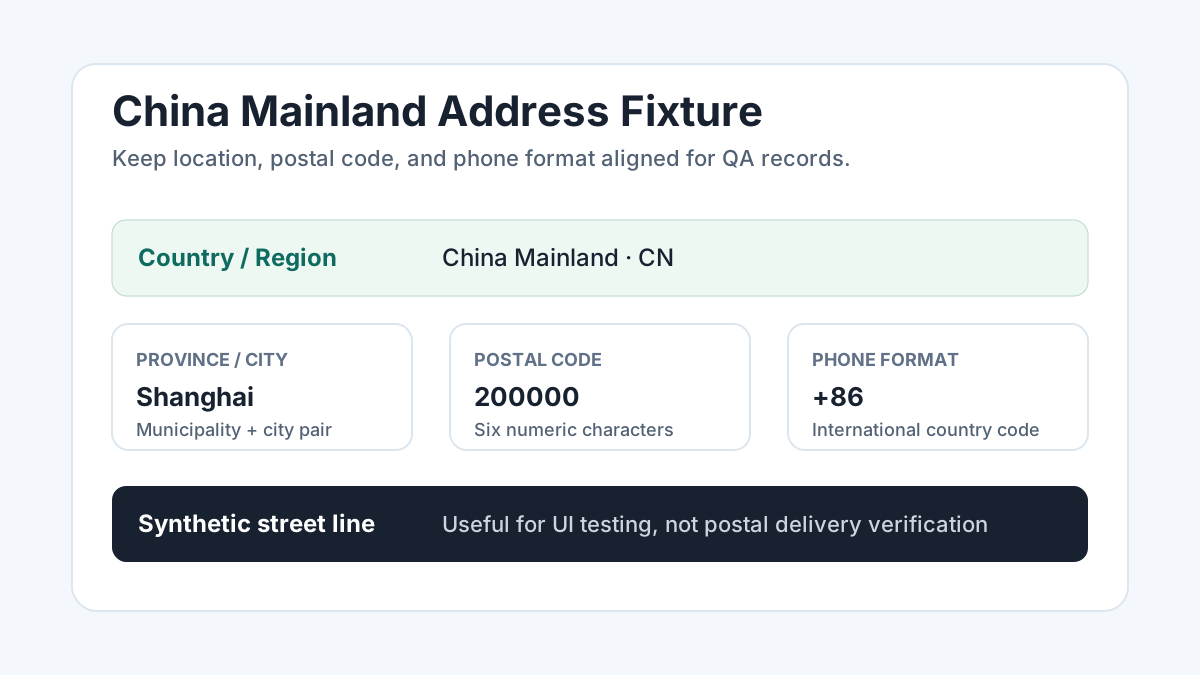
Recommended field shape
A practical China Mainland test record usually needs these fields:
| Field | Example purpose |
|---|---|
| Country / region | Use China Mainland or CN depending on the form. |
| Province or municipality | For example Beijing, Shanghai, Guangdong, Zhejiang, or Sichuan. |
| City | Use the city that belongs to the selected province or municipality. |
| Postal code | Six digits. Keep it paired with the selected city in your fixture. |
| Phone | Use the +86 country code for international-format testing. |
| Street line | Synthetic only. It should look plausible, but it is not deliverable. |
Why postal-code pairing matters
A lot of form bugs appear when a postal code belongs to one city while the city dropdown says another. This is especially easy to miss in international QA because many forms only validate US ZIP code rules. For China Mainland tests, use a city and postal code from the same fixture row. That gives you a clean baseline for testing layout, required fields, country switching, address preview formatting, and database storage.
Do not treat that as postal verification. A real shipping or identity workflow may check a much deeper delivery database. Synthetic street lines are expected to fail those checks.
Phone formatting to test
International forms often break on phone length, spacing, or country-code handling. A useful
fixture should include a +86 phone string and should also test whether the UI
can store the country code separately from the local number. The generator outputs a simple
international format so you can catch common validation mistakes without using real personal
data.
Useful QA scenarios
- Country selector switches labels from ZIP/state to postal code/province.
- Postal-code input accepts six numeric characters.
- Phone input accepts
+86and does not force North American formatting. - Order summaries display non-US address fields in a readable order.
- CRM exports preserve province and city as distinct fields.
When to use verified data instead
Use a real address-verification or shipping-provider sandbox when your test needs to prove deliverability, tax calculation, logistics routing, fraud scoring, telecom validation, or payment compliance. Synthetic addresses are good for product UI, QA fixtures, and seed data. They are not a substitute for a real verification source.
Ready to generate examples? Open the China Mainland address generator, or browse all international address generators.